
Calendar for Chrome
Every calendar.
One side panel.
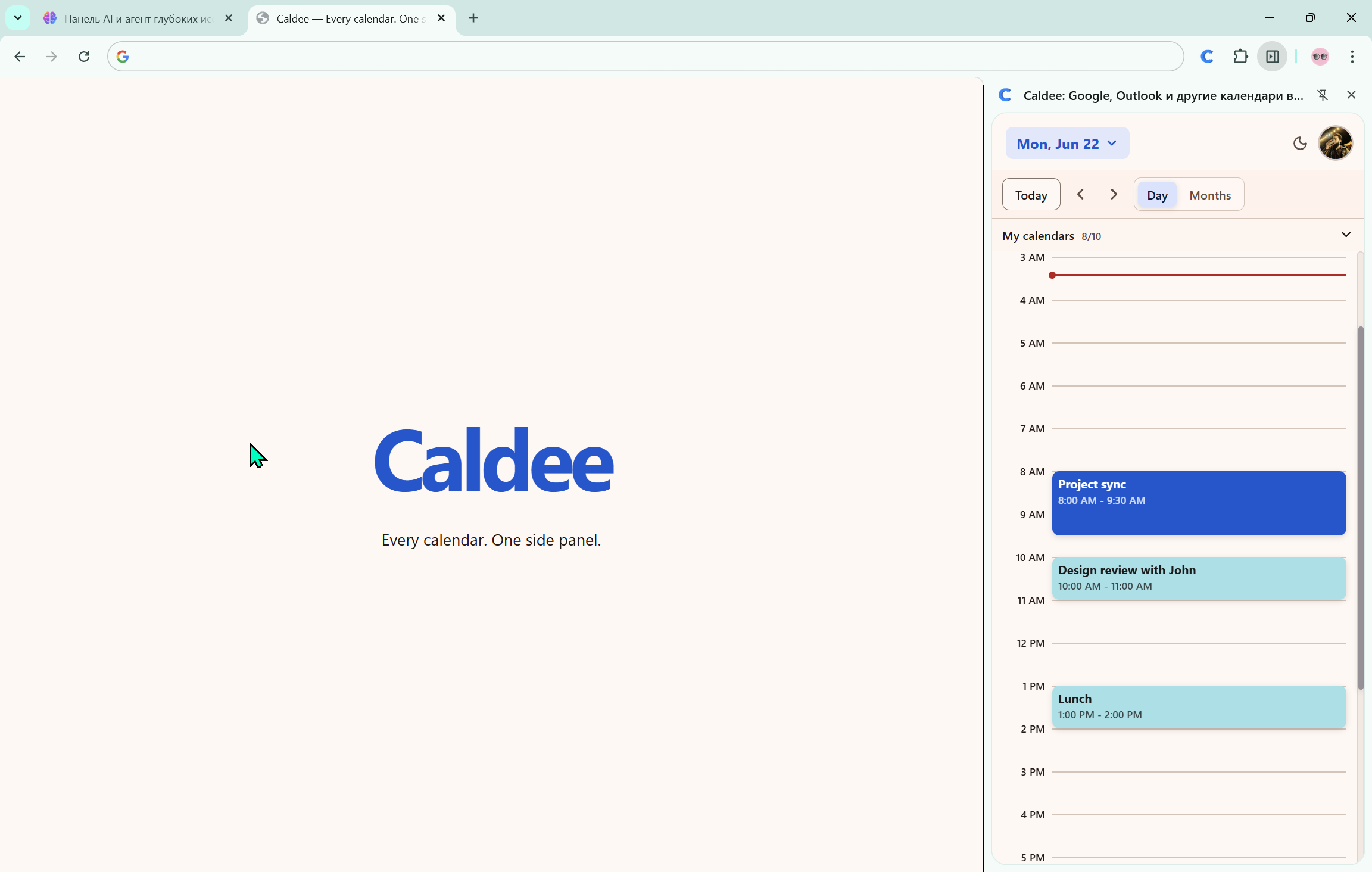
Bring Google, Outlook, iCloud, Fastmail, and CalDAV together. See your day, create events, and add video calls without leaving the page.
Your day stays one click away, whatever tab you are in.
Works with the calendars you already use
 Google
 Outlook
 iCloud
 Fastmail
 Nextcloud
 Yandex
 CalDAV
 Zoom
Zoom
01 / Your day
All your calendars,
finally together.
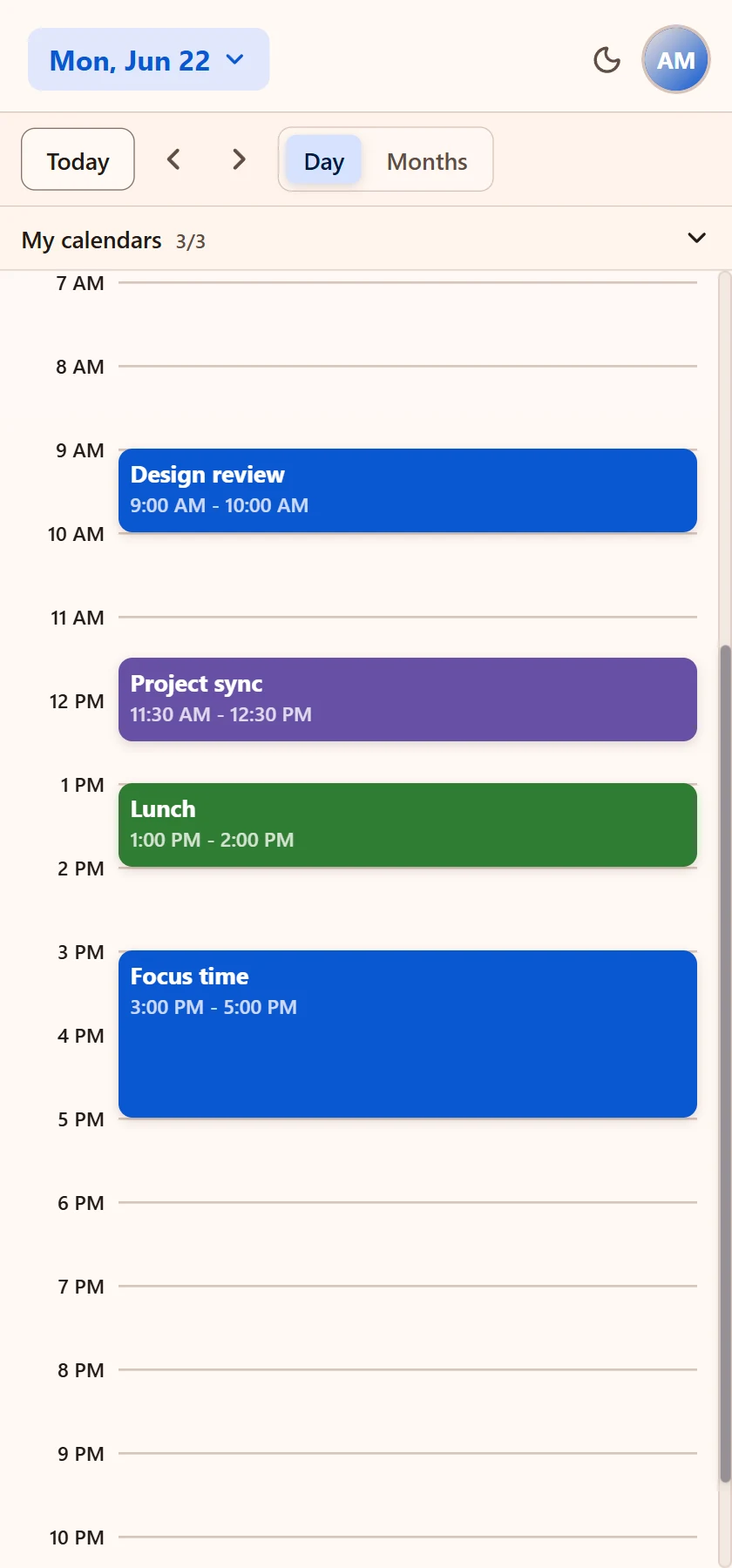
Personal, work, and shared calendars become one clear timeline. Keep each source recognizable by color and choose exactly what you want to see.
- One day view across every account
- Fast calendar visibility controls
- No tab switching to check your schedule
02 / New event
Plan without
leaving the page.
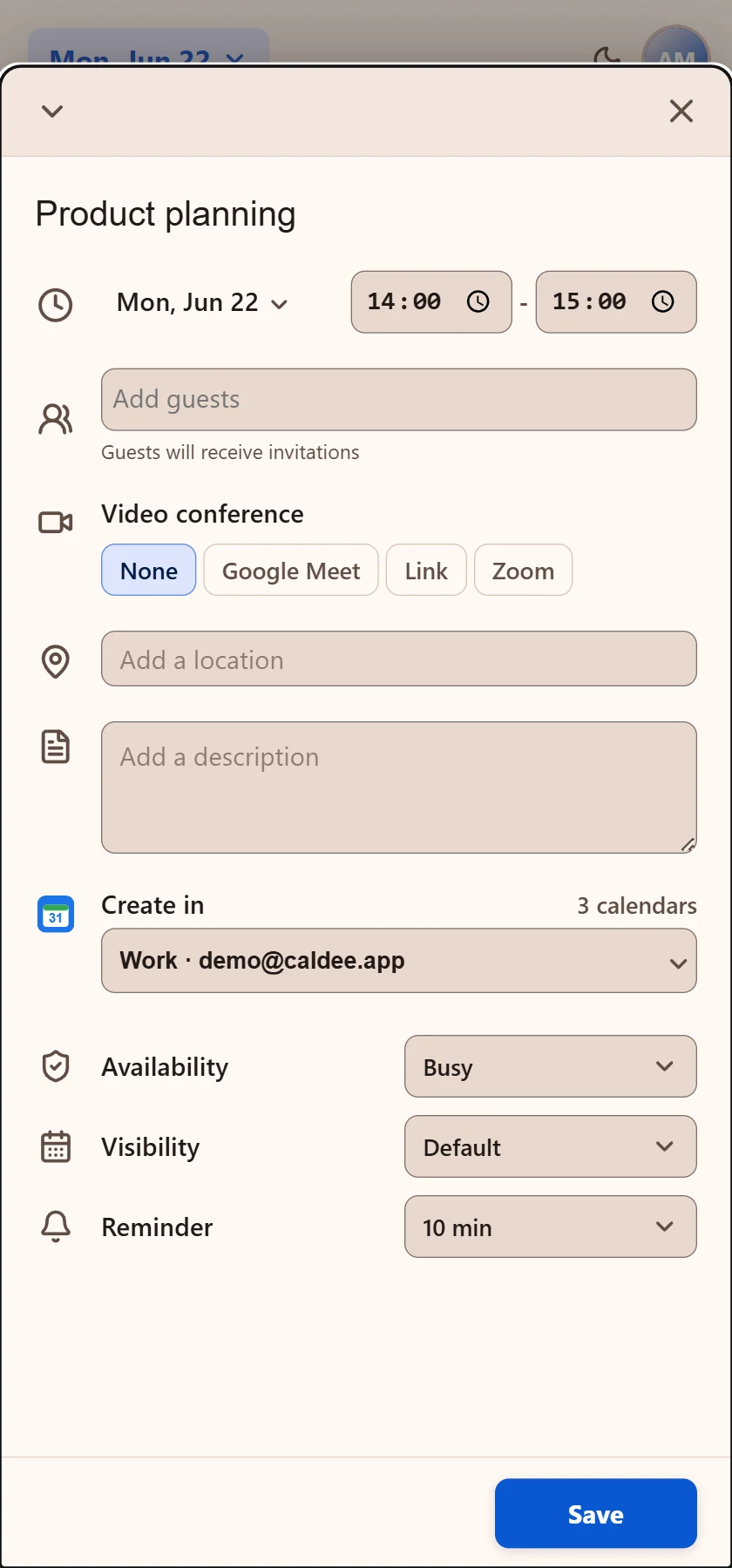
Pick a time directly in the side panel, add guests and details, then choose the right calendar. Caldee keeps the whole flow close to your work.
- Create events from any Chrome tab
- Choose availability, privacy, and reminders
- Send guest invitations from the same form
03 / Video calls
Meetings,
already included.
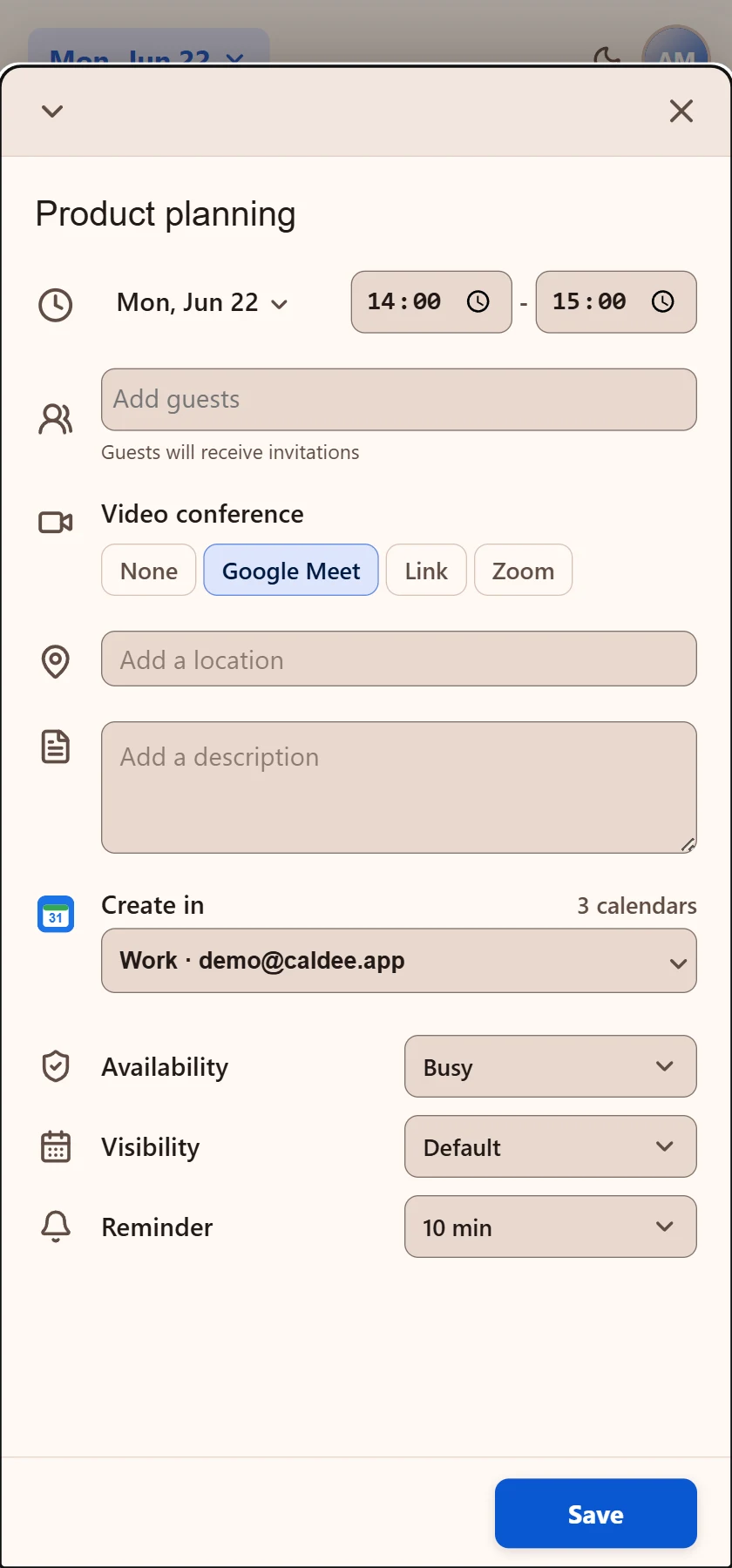
Add the meeting room while you create the event. Use the conferencing service that matches the calendar — no second setup flow required.
Zoom
Privacy by permission
Your browser activity
stays yours.
Caldee works in Chrome’s side panel and does not request permission to read the websites you visit. It connects only to the Caldee service and the calendar accounts you choose.
A calmer calendar is coming