
 Add to Chrome
Work schedule at a glance
Open the side panel to see the Outlook events that matter before committing to a new meeting time.
Outlook Calendar for Chrome
Caldee brings Outlook Calendar into a Chrome side panel for the workday moments when schedule decisions happen in email, documents, CRMs, and project tools.
Works with the calendars you already use
Connect the calendar providers that already run your day, then manage schedules and meeting links from the same Chrome side panel.
 Google
 Outlook
 iCloud
 Fastmail
 Nextcloud
 Yandex
 Zoom
ZoomOutlook workdays
Outlook Calendar often holds the meetings, reviews, and team commitments that shape a workday. The friction is that scheduling decisions rarely happen inside the calendar itself. They happen while replying to a message, checking a project board, reviewing a document, or confirming a client call.
Caldee keeps Outlook Calendar available in Chrome's side panel so you can inspect the day and create the event without breaking that context. The result is a calmer scheduling flow for teams that live in browser tools but still depend on Outlook for work planning.
Open the side panel to see the Outlook events that matter before committing to a new meeting time.
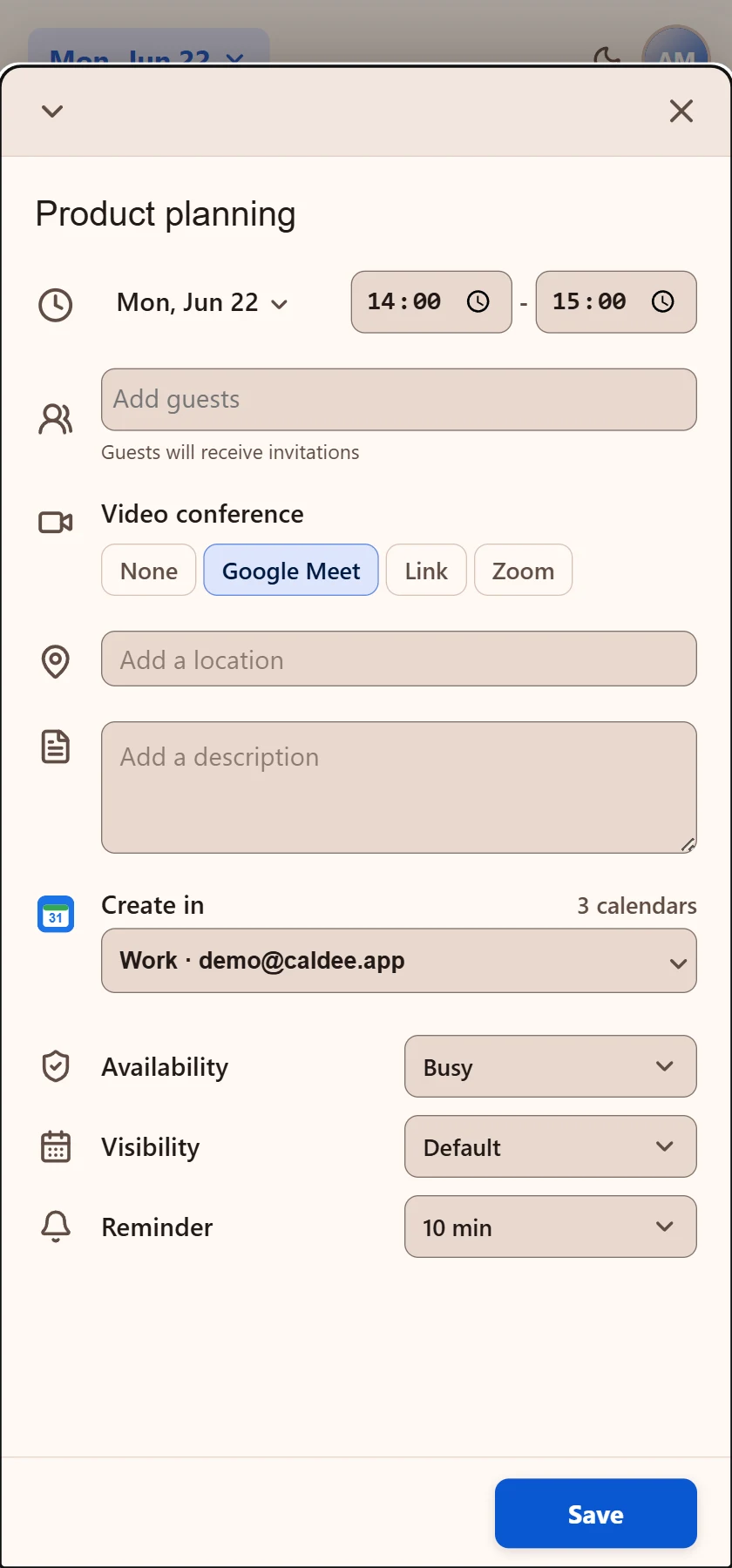
Add the title, guests, calendar, reminder, and meeting details without leaving the page you were using.
Attach the right video room during event creation instead of editing the invitation later.
Mixed calendars
Caldee is useful when Outlook needs to be seen beside personal plans, shared project calendars, and provider-specific meeting workflows. A founder may use Outlook for company meetings and Google Calendar for partner calls. A consultant may keep client work separate from personal appointments. A remote team may need Teams for one meeting and Zoom for another.
Use Caldee to keep Outlook, Google Calendar, iCloud, and shared calendars close without flattening their meaning.
Compare work commitments with personal and shared calendars before offering a time.
Keep the current page visible while the side panel handles the scheduling step.
For browser-first teams
The point of an Outlook Calendar side panel is not to replace Outlook. It is to make the calendar available at the moment a browser workflow needs it. When the calendar stays one click away, scheduling becomes part of the work instead of a separate trip.
Review team availability while reading updates, planning one-on-ones, and coordinating stakeholder calls.
Check the work calendar while responding to requests, contracts, and support threads.
Add the meeting provider that matches the invite and keep video call setup in the same flow.
Outlook scheduling examples
A work meeting often starts as a request in another tool: a customer asks for a review, a manager needs a one-on-one, or a project update needs a stakeholder call. Caldee keeps Outlook Calendar close enough to confirm the time and create the event before the request becomes another tab to remember.
For teams that split communication between Microsoft tools and browser apps, the side panel keeps the scheduling layer portable. You can review an issue, check Outlook availability, add a Teams or Zoom room, and stay anchored to the page that contains the actual context.
Use Outlook availability while responding to proposals, contracts, support threads, and account notes.
Create a work meeting from the document, roadmap, or project page that needs discussion.
Compare Outlook with Google Calendar or iCloud before accepting a time that affects the whole day, especially when work and personal plans overlap.
Privacy by permission
Caldee works in Chrome's side panel and does not request permission to read the websites you visit. It connects only to the Caldee service and the calendar accounts you choose.
Calendar guides